
DREAM11 / TASK GUIDE
Dream11 Login and Registration: Check Account and OTP Help
For Dream11 registration or login in India, first identify the Sporta account and the stage that is failing: opening the app or website, entering the registered contact, verification, or a feature after sign-in. This guide gives the published Indian eligibility, support routes, dated number-change instructions and the difference between uninstalling, cancelling a subscription and requesting deletion.

Dream11 login: choose the problem that matches your account
For India, the reviewed terms require a valid Indian mobile number and one unique account. First registration, an unreceived code, loss of an old number and a missing product feature are separate tasks. Use the identified Helpdesk for account-specific recovery; this review supplies no universal password, verified retry timer or alternative number.
Brand identification
- Brand
- Dream11
- Domain reference
dream11.com- Entity reference
- Dream11 / Dream Sports
- Scope
- Current product references
Identity information does not establish that every feature is available to every reader.
New registration: Indian eligibility and one account
The terms updated on 8 October 2026 say an account is required to access the services, including livestream engagement, leagues and AI features. Indian users must be at least 18, reside in India and have a valid Indian mobile number. Sections 3.1 and 3.3 allow one unique account per user. Someone with an existing account should first resolve access to it rather than assume that a fresh registration is the recommended fix.
The provider lists examples of information it may request: name, age, team name, mobile number, email address, country, gender and other identification. It can also request verification information during use. That policy does not prove which fields are mandatory on the first registration screen, which OTP channel is offered, or how long verification takes. We did not submit a number, accept account terms, receive a code or complete registration.
A useful registration check has three parts: confirm that you are using the publisher-linked Dream11 product, decide whether you already have an account, and read the requirements for the Indian account rather than a foreign-country route. If a number is already associated with a profile, describe that exact message to support; the one-account rule does not justify inventing a new profile to bypass it. Installing the app supplies software, while registration establishes a service account. Neither action proves entitlement to an advertised event or a paid feature.
Login, website loading and OTP are different stages
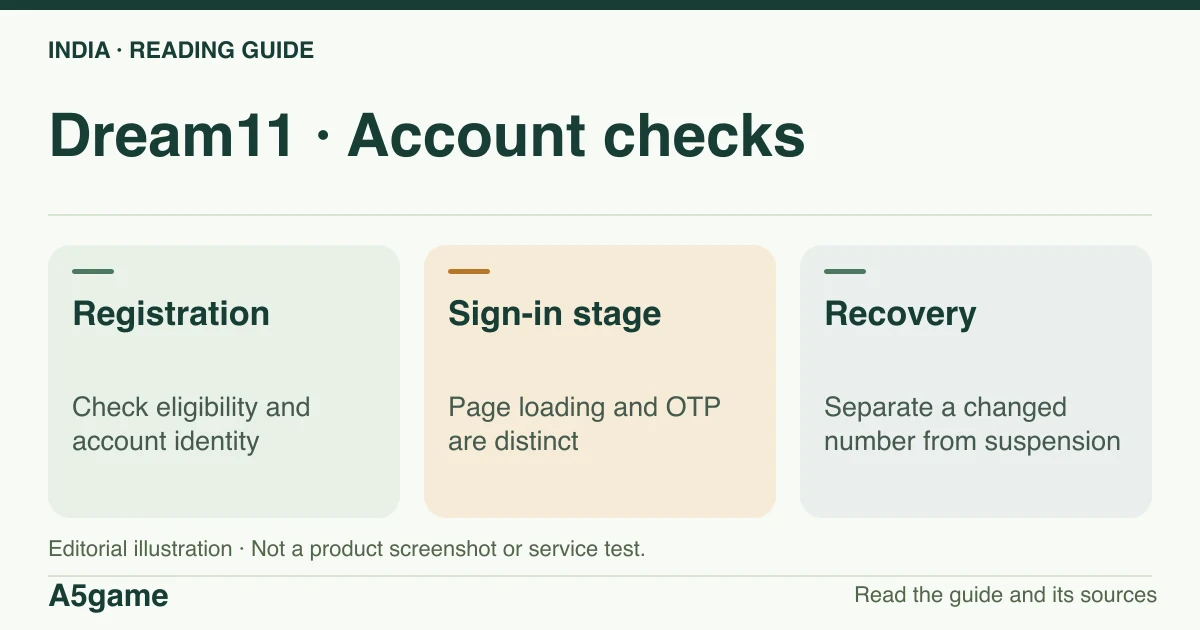
Start with the app identified through Dream11’s homepage links or the publisher’s own web route. A public website loading only verifies the page; it does not confirm a completed sign-in. Record whether the issue occurs before number submission, after requesting a code, when entering a code, or after the account opens. Include the date, app version and time zone, such as IST, while masking the mobile number and code in screenshots.
For a missing or rejected OTP, use the controls actually offered by the identified provider for that account. Before treating the problem as delivery failure, confirm whether the screen accepted the contact detail and whether it says a code was requested. A loading page, a rejected input, no received message and a rejected code are different observations. The sources do not establish one expiry, resend timer, retry limit or guaranteed delivery channel for all Dream11 users, so this guide does not prescribe one.
- Before a verification request: record whether the app or website loads, whether the account field is usable and the exact input error. A blank page cannot establish that a code has been sent.
- Request accepted but no message: check the masked destination shown in the provider flow against the registered contact you control. Keep the request time and any delivery/error status; use the on-screen resend or help control according to its own instructions.
- Code rejected or expired: distinguish that displayed error from no delivery. Keep the error and time, but remove the actual code from anything you share for support. No code should be published in a screenshot or sent to this site.
- Account opens but a league, stream or balance is missing: access has reached a later stage. Identify the feature and current product rules rather than repeating a registration as a general fix.
Change a mobile number while you can sign in
The help centre’s Profile & Verification article “How do I change my mobile number?” was read in the earlier public-page review on 30 October 2026. It describes opening My Info & Settings from the profile picture, selecting Change beside the mobile number, entering the new number and verifying the OTP sent to it. The provider says a confirmation is sent to the verified email address. These are published instructions, not actions completed by this site.
The article says the new number must not already be linked to another Dream11 account and allows up to three mobile-number changes from the app. Its starting point is access to account settings. It therefore does not establish a lost-SIM or locked-out recovery procedure. We retained that scoped help observation; the new audit could retrieve the help-centre shell but did not re-read the dynamic article body or test its current controls.
Lost old number, changed SIM or compromised account
If you cannot reach account settings, use the provider’s account-support route rather than the signed-in number-change procedure. Terms section 3.3 directs inaccessible or compromised accounts to Help and Support. The privacy policy’s older get.dream11.help request URL now redirects to the Dream11 help centre; this follow-up again received the dynamic help shell, without a separate visible request form or current recovery FAQ. We did not establish a no-old-number override, a fixed recovery time or an account-merging route.
Google Play’s App support section lists [email protected], which was reconfirmed in both the homepage-linked item and the explicit Indian storefront. This is distinct from the separate corporate developer-contact email and phone in the listing. If you use the support route, describe whether you can still sign in, which registered contact you cannot use, the exact error, the app/store channel and the event time in IST. These are our suggested details for explaining the case, not a verified provider document checklist. We did not send a message, supply an OTP or measure a response.
Prepare one concise description instead of guessing a recovery process: “I can/cannot sign in; I can/cannot use the old registered number; the issue began at [date and time, IST]; the app version and store channel are [details]; the exact message is [text].” This is an editorial example of explaining the failure, not a provider form or document requirement. Use the official support route for any account identification it requests. A password, current OTP or full identity document should not be placed in a public comment, search query or message to this editorial website.
Suspension, KYC and account details
Section 3.6 says the provider may restrict an account where details are false, inaccurate or inconsistent with its terms, and may require KYC information from time to time. This establishes a published verification policy. It does not prove that every sign-in requires PAN or Aadhaar, that a particular document guarantees approval, or that a suspended account will reactivate after an APK update. We have not submitted identity information or appealed an account decision.
When a status mentions verification, restriction or suspension, preserve its wording and distinguish it from a transfer or login error. Use the provider’s current request to identify which information is needed and why; this review does not prescribe PAN, Aadhaar or bank documents for every case. If the issue is incorrect profile information, describe that correction request. If it is an account restriction, ask about that decision through Help and Support. An unavailable feature and a restricted account do not establish the same cause, and a second profile is not the published route to either outcome.
Delete an account or stop using the app
Uninstalling removes the local app; the privacy policy separately says users can request deletion of their account and personal information through Help and Support. It also describes retention for legal and other stated purposes and possible delays across active and backup systems. A deletion request is therefore not the same as an instant erasure guarantee, and we did not perform one.
Choose the goal before taking an action. To remove local software, use your device’s app controls; to stop a recurring purchase, use the billing provider’s subscription controls; to request deletion of the Dream11 account and personal information, use Help and Support as directed by the privacy policy. A clear request can state that it concerns account and personal-data deletion, and ask what retention or follow-up applies. The policy does not give this review a universal completion or restoration period to promise.
- Uninstall: removes the local app and is not proof that the service account or retained records have been deleted.
- Cancel a store-billed subscription: addresses renewal through the billing channel. It is a separate task from account deletion and does not itself establish a refund.
- Request account/data deletion: uses the provider’s privacy route. Keep any acknowledgement or case reference supplied by that route and distinguish a submitted request from confirmation of completion.
Signed in, but a balance, prize or match feature is missing?
A successful login does not restore discontinued product features. The August announcement says prizes were discontinued, while some store and terms wording still refers to rewards or winnings. Historical balance, withdrawal, refund and subscription enquiries need the relevant transaction and the provider’s response. We did not verify a current withdrawal screen, UPI method, tax deduction, minimum amount or payout time.
If the issue concerns a live event, identify whether you expected a creator Watch Along, a match broadcast or league access. If installation is failing, use the app guide; if an older article promises a feature that is absent, use the changes guide. Neither a COME app account nor a similarly named download establishes access to Sporta Dream11.
Choose the route for your account problem
Start with the access you still have. A first account, a code-delivery problem and a lost registered number are different tasks. The points below separate published account rules and earlier help instructions from steps that still need current provider confirmation.
- First registration in India: use the publisher-linked Dream11 app and the Indian mobile-number requirement in the terms. The email eligibility clause is for users outside India; it is not a documented email-only substitute for Indian registration.
- Already registered, but no OTP or a rejected code: use the sign-in options actually offered for that account and the official Helpdesk. We have no verified universal countdown, retry limit or alternative verification channel to prescribe.
- Still signed in and changing a number: the dated Helpdesk article starts in My Info & Settings and requires verification of the new number; the signed-in procedure is described in the number-change section above.
- Locked out or unable to use the old registered number: use Help and Support or the Play-listed support email. The signed-in settings route does not establish recovery without account access, and the terms do not recommend creating a second account.
- Signed in but missing a cash feature or old balance: use the product-change and transaction guidance. Reinstallation and a new registration do not document restoration of a discontinued feature.
Customer care number, WhatsApp and response times
The verified contact choices in this review are Dream11’s official Helpdesk and the App support email [email protected] published on its Play item. A customer-care-number query asks for a different fact: an account-support telephone. The separate corporate developer phone in the listing is not labelled as that account channel. We have not established a current Dream11 account-support phone number, WhatsApp service, Hindi telephone line, 24-hour availability or a guaranteed response time.
To check a contact found in a search result or message, return to the publisher website or the labelled App support section and compare the actual address and its purpose. A matching logo or the word official is insufficient. Describe the task—access, a number change, a restriction, a purchase or a privacy request—so the chosen route can address it. We have not called, sent an email or measured support quality.
Email-only login, PC access and account portability
For India, the terms’ valid-Indian-mobile requirement is the relevant registration reference. Their active-email clause for users outside India does not establish an Indian email-only login, Gmail sign-in or a way around an inaccessible old number. Where the actual sign-in flow offers options, use the ones shown for that account; no unsupported alternative is implied by this guide.
On a PC, opening the public Dream11 site or Helpdesk is a reading/help route. The reviewed sources do not establish that every mobile account feature works in a desktop browser or that an emulator provides an officially supported login. Similarly, a ComeAPK label such as Dream11 Com does not establish access to the Sporta account. Keep the product identity and account destination attached to the task rather than reusing credentials across similarly named services.
For a login-ID or password query, use your own registered account and the sign-in or recovery options actually offered by the identified Dream11 service. The reviewed documents do not supply a universal login ID, shared password or an alternate OTP number. An article or download cannot issue credentials for an existing account. We have not established a current password-reset screen or a PC-specific credential method, so those steps are not invented here.
FOLLOW THE EVIDENCE
Sources and context
- Dream11 official termsReference check: 2026-10-31
- Dream11 official public terms contentReference check: 2026-10-31
- Dream Sports Dream11 product pivot 2026-08-27Reference check: 2026-10-31
- Dream11 — publisher website and store linksReference check: 2026-10-31
- Google Play — Dream11: Sports Watch AlongReference check: 2026-10-31
- App Store India — Dream11: Watch. Play. CompeteReference check: 2026-10-31
- Dream11 — Helpdesk and Profile & Verification helpReference check: 2026-10-31
- Dream11 — published privacy policy and account deletionReference check: 2026-10-31
The date records a reference check. It is not a live service monitor.
A5game is an independent information website. We are not the brands’ official website, do not accept bets and never ask for third-party passwords or access codes. Editorial policy ↗
18+ · EXTERNAL LINK · INDIA
Explore the site
Opens in a new tab.
We may receive a commission through this link.