
SONY LIV / TASK GUIDE
Sony LIV login and four-digit TV activation
Separate three failures: the phone does not receive its OTP, the TV cannot complete activation, or both devices are signed in but content still asks for a plan. These checks help you isolate the failure before trying to pay again.

How do I activate Sony LIV when my TV shows a code?
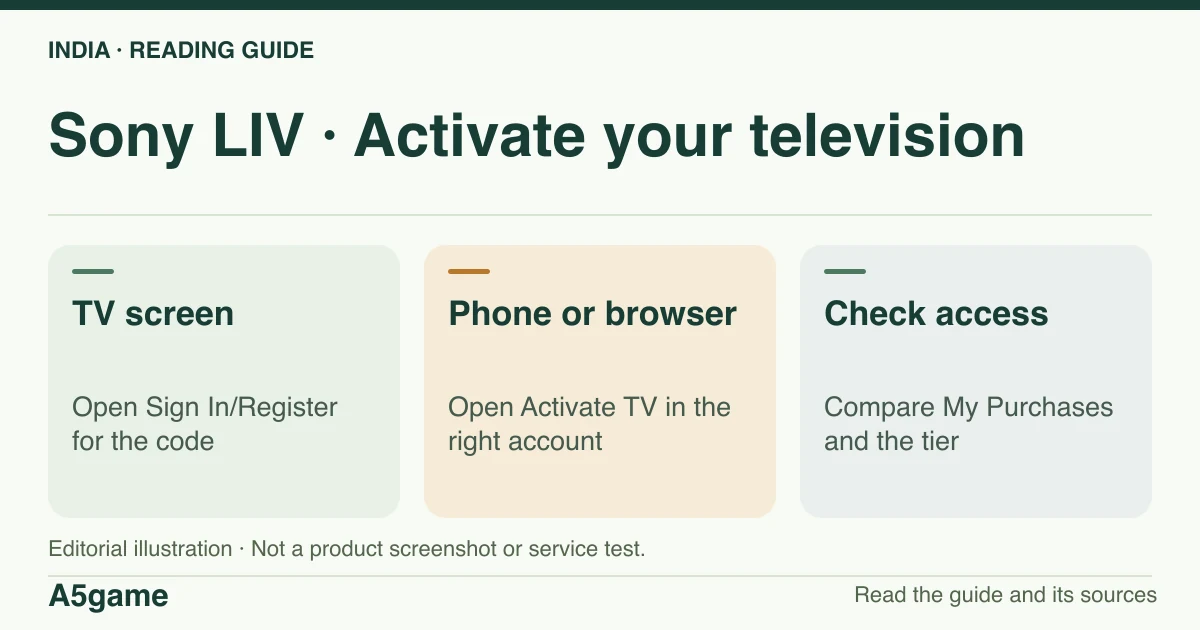
Sony’s help says to open Sign In/Register on the TV, then use Activate TV in the Sony LIV mobile app or web player. Enter the four-digit code displayed on your own TV while signed in to the account that holds the subscription.
Brand identification
- Brand
- Sony LIV
- Domain reference
sonyliv.com- Entity reference
- Sony Pictures Networks India (India store listings)
- Scope
- Current product references
Identity information does not establish that every feature is available to every reader.
Mobile number, email and OTP checks
Sony’s public FAQ describes a mobile number flow: enter your number, receive the OTP on it, and enter the code into the same sign-in flow. The documented email flow can still send the code to the mobile number registered with that email. If a code does not arrive, verify the country code, the SIM that can receive the message and whether you opened the login for the same account. A second number may create or open a different account where the purchase does not appear.
If you no longer control the number, request recovery through the publisher’s help rather than asking another person to relay an OTP. Note when the attempt occurred, the device and the redacted account identifier; do not include your password or a live code in a chat transcript.
Activate TV using the screen in front of you
Compare the account on the phone or browser before entering the TV code. If the television is signed in to someone else’s account, follow the on-screen sign-out and activation flow first. A QR search result is not a substitute for a code or prompt from your television. If the television offers a QR option, verify that it opens the publisher’s own service. The public help reviewed here specifically documents the four-digit flow; we did not test every device’s QR option.
- Open Sign In/Register in the Sony LIV app on your TV.
- Open Activate TV in the Sony LIV phone app or web player using the account that holds access.
- Enter the four-digit code currently displayed on your TV. If the screen refreshes or expires, start again from the TV prompt.
- Check the app recognises the account, then test an eligible title before trying the specific match or programme.
Signed in but still being asked to subscribe
Use My Purchases on another device to verify the tier and expiry. If it shows Mobile Only, a successful TV activation does not extend that tier to TV. If it shows an active eligible Premium plan and the TV asks again, compare the account identifiers and repeat activation on the television as described in Sony’s help. If only one title remains locked, check that title’s territory, access tier and live or replay status separately.
Contact the publisher without sharing login codes
Sony’s helpdesk lists contact and chat options. We did not confirm a public 24-hour phone number or a response guarantee. Use the support link surfaced by the publisher, and record whether the issue concerns OTP, television activation, a missing purchase or one title. Include the model, OS, app version, local timestamp, and if relevant a redacted receipt reference. A payment reference helps match a purchase; it does not replace proving account ownership through the publisher’s own process.
Frequently asked questions
Can I send my television activation code to support?
Enter the current code only in the publisher’s activation flow. For troubleshooting, describe the error and the screen without sharing an active code.
Can a TV sign-in fix an unsupported plan?
Activation signs the TV in. A mobile-only entitlement can still be ineligible on that screen.
FOLLOW THE EVIDENCE
Sources and context
- Sony LIV — public India FAQ: OTP, TV activation and screen limits
https://origin-staticv2.sonyliv.com/UI_icons/india_faqs.htmlReference check: 2026-11-19 - Sony LIV Helpdesk — My Purchases and four-digit TV activation
https://help.sonyliv.com/categories/cat-subscription/articles/why-am-i-being-asked-to-subscribe-when-trying-to-watch-on-my-tvReference check: 2026-11-19 - Sony LIV Helpdesk — public support entry
https://help.sonyliv.com/Reference check: 2026-11-19 - Sony LIV Helpdesk — India plan prices and concurrent screens
https://help.sonyliv.com/categories/cat-subscription/articles/what-are-the-types-of-subscription-available-on-liv-how-much-does-sony-liv-cost-1Reference check: 2026-11-19 - App Store India — Sony LIV, Apple item 587794258
https://apps.apple.com/in/app/sony-liv/id587794258Reference check: 2026-11-19 - Sony LIV — customer support route; the public sample timed out
https://www.sonyliv.com/customer-supportReference check: 2026-11-19
The date records a reference check. It is not a live service monitor.
A5game is an independent information website. We are not the brands’ official website, do not accept bets and never ask for third-party passwords or access codes. Editorial policy ↗