
CRICCLUBS / DOCUMENTED REVIEW
CricClubs in India: follow a match or keep its score
18+ · PARTNER LINK
Join ₹1 Contest We may receive a commission through this link.Follow or resume the league’s existing scorecard instead of creating a new match when a scorer loses signal or hands over.
Resume the existing CricClubs score after an interruption
Before you start: Confirm the correct league, season and fixture; editing requires the organiser’s assigned scorer access.
- Check the last saved legal ball, innings and wicket count against your ground record.
- Agree who enters the next ball, then resume on that fixture; resolve any discrepancy before publishing.
How to confirm: Spectators see one continuous scorecard and the next delivery appears once in the correct innings.
If something does not match: If the match remains read-only, have the organiser check permissions. If rain changes the target, keep the revised overs and target from the officials. CricClubs handover and scoring recovery.
CricClubs lets local cricket organisers publish fixtures and keep ball-by-ball scores. For players and followers in India, a useful scorecard starts with the right league, season and match. For scorers, it starts with the organiser’s fixture and the permissions on your account. This review follows both routes through the app listings, the scoring manual and a published league help centre.

Where should I start with CricClubs?
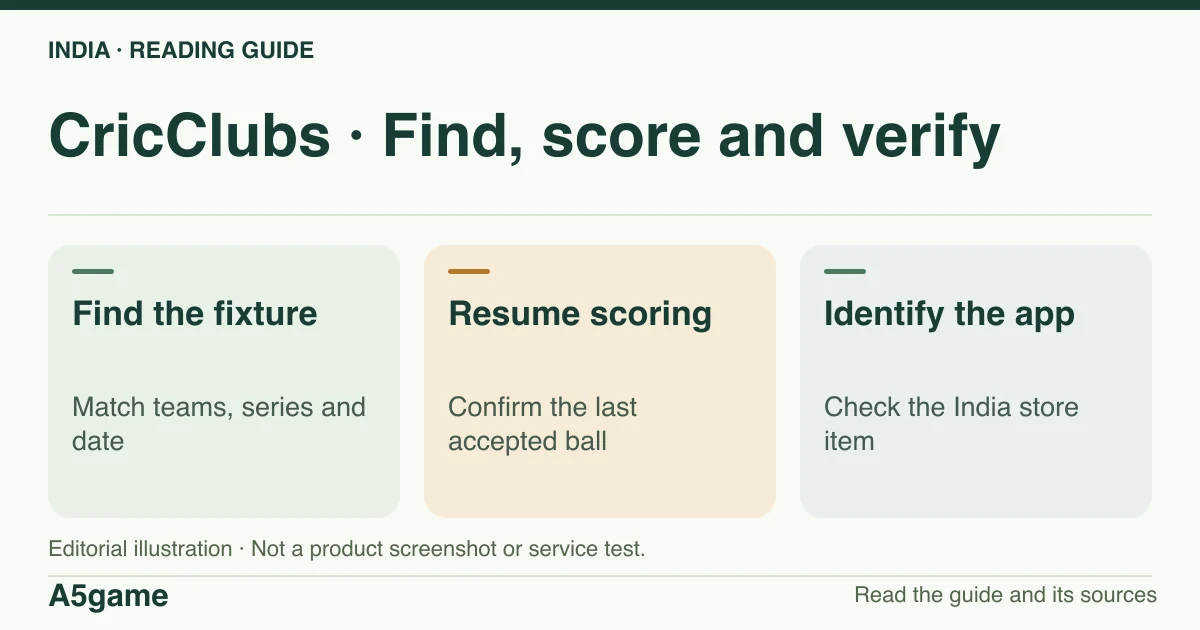
To follow a game, open the organiser’s fixture link or find the league, series and two teams in the match centre. To score, sign in with the account your organiser assigned, choose Live Scoring, then select the existing league and match. The India store records are Android com.cricclubs and Apple item 978682715; you can read a public league scorecard without getting scorer access.
Identify the CricClubs app for India
Check Cricclubs Mobile (com.cricclubs) on Google Play or CricClubs LLC item 978682715 for iPhone. Use the league’s web fixture if you only need the score.
If you are scoring, check your assigned match and reconcile the last ball before changing devices or updating.
Sources checked: . Check CricClubs store listings and scoring requirements.
Brand identification
- Brand
- CricClubs
- Entity reference
- CricClubs LLC (India Apple listing)
- What this review explains
- Reconcile the last accepted ball after a scoring handover
The scoring manual describes the connection indicator; it does not establish what is retained or published after a loss of connection.
Find a CricClubs live score or local fixture
Start with the league and series, then match both team names, date and ground. An organiser’s fixture link is the quickest route when two clubs share a name or a team fields an A and a B side. The league management guide puts schedules, matches and a points table under the same league site; an old season can therefore look familiar even when none of its fixtures is today's.
If you see no score, first check the status. A scheduled fixture can exist before the toss or before a scorer begins; the absence of ball entries does not make the match a 0–0 final. If the status is live but the figures are static, compare the last delivery in the innings and check whether the organiser has announced a break or a nearby alternate ground. Ask for the exact fixture rather than trying every result with the same team name.
The app listing advertises local and international cricket coverage. It does not make the app the scorer for every district competition, school tournament or India match. For a professional fixture, a dedicated match feed can be useful; for a club fixture, the organiser’s own record is the best way to resolve competing copies. A scoreboard or live commentary can also be published while there is no video.
Read the innings, last delivery and match status
Read the innings and the most recent ball before you compare two scores. A headline such as 74/3 says how many runs and wickets are recorded; it does not tell you on its own whether those figures belong to the first innings, a chase or the final agreed result. Open the full scorecard and check the side batting, score, over and last ball in the commentary. In a six-ball over, 12.4 refers to 12 complete overs and four legal balls, not 12.4 overs in decimal notation.
The manual shows the first innings total, second innings target and ball-by-ball commentary as distinct fields. In a chase, check the displayed target before using the first innings score to work out the runs needed. A corrected delivery, a break or a revised target can leave a shared screenshot out of date. Use the fixture link and the precise innings/over when asking a scorer about a difference.
The full card and charts answer different questions. The ball log helps reconcile a disputed delivery; a wagon wheel or over-by-over chart summarises a pattern. A shot map cannot resolve whether a ball counted as a wide. If the tally, wickets and commentary do not line up, preserve the relevant over and ask the scorer to verify the recorded decision rather than interpreting the chart as a second official score.
Set up a CricClubs league, series and player list
The league help centre describes this sequence for an administrator: create the series, add teams, upload or approve players, then load the schedule before live scoring. The order matters. A fixture placed under a test series may still be scorable, but the result can appear in a different table from the one teams expect. Verify the real season and the participant list in the league dashboard before sharing a fixture link.
Player registration and player eligibility are separate decisions. The help centre describes New, Active and Inactive player lists: New profiles are waiting for approval; Active profiles are already approved. Search the existing team and profile before adding another person with the same name. Where a weekend replacement is eligible under the organiser’s rules, check the correct team and profile with the administrator so the new innings contributes to the right record.
Give each person the role for the work they do. A scheduler may maintain fixtures; the people recording or approving scores have a different responsibility. Agree which account handles the game at the ground, who authorises a correction and where a confirmed final card will be shared. The published example from the Singapore Cricket Association explains the software’s roles. It does not establish a particular approval process or playing regulation for an Indian league.
CricClubs login: recover access or ask for a scorer role
If you only need a public scorecard, open the exact league fixture first. If you need to make an entry, sign in with the account the organiser assigned and check that the right league appears. The scoring guide shows Sign In and Forgot Password; recovery concerns the account, while a missing match or scoring control can be a league assignment problem even after successful sign-in.
The help centre lists League Admin, Team Scorer and League Scorer as roles with live scoring access. Being on the playing squad, having a player profile or opening the match link does not establish that you hold any of those roles. If the match is missing, send the organiser the series, teams and date and ask them to confirm the account and role assigned to that fixture. Do not use another scorer’s credentials just to make the match appear.
If you cannot recover the account, identify whether the problem happens before sign-in, after sign-in when you choose a league, or when you open the match. Those are useful facts for the admin or app support. For an app error, note the app version and device system; for an assignment error, keep the match reference. The India Google Play description lists [email protected] for app feedback. Use the organiser for permissions or a disputed score; do not assume a phone number surfaced by search belongs to CricClubs. Never include a password or reset code when reporting an issue.
Start scoring the assigned CricClubs match
In the scoring manual, the path is Live Scoring, the league, Ready to Start, and the selected match. Open its details and continue only after you have confirmed both teams, the competition and the scheduled fixture. The next screen lets you select both squads and captains and set the total overs. Review them with the organiser: the app’s editable overs field is a setting, not a rulebook.
Record who won the toss and the decision, then choose the striker, non-striker and bowler before entering the first delivery. Check the batting side again after the toss. If a player is missing, reconcile the approved team list before creating a new profile. If you take over after play has started, use the continuing session and verify the last accepted ball; creating a new match gives the teams two inconsistent records.
Confirm how the competition counts wides, no-balls and extras before the first over. The manual illustrates switches and settings for some of those choices. A setting shown in a product guide does not prove it is correct for the league. Record the umpire’s decision and compare the next legal ball and striker after unusual extras or a wicket.
- Confirm the series, both teams, match date and number of overs with the organiser.
- Open the existing fixture in Live Scoring and check squads, captains and toss.
- Select the opening batters and bowler. If play has already started, resume the existing record.
Resume scoring after a connection loss or handover
The manual shows My Games → select the match → Continue Scoring. Open that same match after a handover or an interruption. The guide calls green a stable internet connection and red poor or no internet. A red indicator tells you to check the connection; it does not prove which unsent ball entries are saved or will be published later.
Before entering the next ball, compare the innings, current over, runs, wickets and last delivery with the backup sheet or the other scorer. Note the last ball everyone agrees on. When connected again, compare the public card to the scorer’s view at that point. If the app view is ahead, wait until you know what has reached the league card; if the public card is ahead, check whether another scorer has already submitted the entry. Re-entering an unknown number of balls can produce duplicates.
If the in-progress session does not appear under the expected account, ask the organiser to confirm the fixture and who can resume it. If the game has finished and live logging cannot be recovered, the documented league FAQ describes a manual Full Scorecard submission by an authorised role. Keep the paper or agreed backup until the batting, bowling and final result agree with the published card.
Edit a wrong ball, wicket or bowler
During live scoring, the manual lets you edit or delete the previous ball and edit earlier overs by selecting the innings and over. Confirm the exact delivery with the umpire or other scorer before opening the editor. A wide entered as a legal ball can affect the legal-ball count, the strike on the next delivery and the bowling figures. A correction is complete when the affected records agree, not just when the headline total changes.
For an earlier over the guide illustrates changes to the bowler, striker, runs or wickets, and an option to add an extra ball. If a run out was recorded against the wrong batter, locate the exact entry and check which batter and fielders the scorer selected. Recheck both batters’ figures and the wicket state. If the correction moves a legal delivery to a different place in the sequence, check the following balls as well.
Once the match is closed or your account no longer shows an edit option, give the league administrator the fixture, innings, over, old entry and agreed new entry. The manual demonstrates editing during scoring; it does not grant everyone permission to alter a published result. Do not create a replacement fixture or remove an entire over to correct a single delivery.
The score is right after an edit, but the over or wicket is still wrong
Reconcile the delivery against the agreed scorebook before publishing the correction. A plausible total can hide a wide counted as a legal ball or a dismissal applied to the wrong batter.
- The two scorers may already have corrected the same ball: Compare the entry before and after the disputed one in the public card and the scoring view. If the public card already shows the correction, do not add the extra again. For a wide, reconcile the extras and legal deliveries with the scorebook and confirm the striker at the following ball before resuming. Resume the same CricClubs scorecard after a handover.
- The wrong batter was marked out: Compare the dismissal with the umpire’s or scorer’s record, then check who is shown as still batting and who faced the next delivery. If the match is closed, send those two entries and the fixture ID to the league administrator; do not start a replacement match.
Rain, lost overs and a revised chase target
Take the changed playing conditions from the umpire or competition organiser before editing the score. In the manual, the Actions menu distinguishes changing the maximum overs from recording a delay and using the D/L workflow. The delayed-match example takes the number of overs lost and shows a revised target and a par-score chart. That is how the documented screen works; it does not tell you which rule or edition a particular Indian league has adopted.
Write down the innings, score, wickets, overs bowled and what the officials decided when play stopped. When play resumes, verify that the innings and permitted overs agree with the announced ruling. If the app shows a revised target, compare it to the decision and communicate it to both scorers before the next ball. Check whether you are looking at the target to win or a par figure at a given ball; those fields answer different questions.
If the competition uses a different method, the match is abandoned, or the parties cannot agree on the record, record the official outcome through the organiser. Do not choose a result from the table alone. Share the confirmed card plus the match note if a revised target or stoppage explains why the result differs from a simple comparison of runs.
Finish scoring or submit a scorecard after the match
In the scoring guide, the innings summary and ending the scoring session are separate steps. At the end, verify both innings and the official outcome before publishing or sharing the result. The guide also shows a match-summary update for the toss, both innings and winner. If there is a disputed wicket, an incomplete innings or a no-result decision, resolve the record with the responsible official before treating the published line as final.
If no live score was kept, the league FAQ describes Matches → Result/Schedule → the fixture → Admin action → Full Scorecard → Validate and submit for a permitted administrator, captain or vice-captain. Check the role with the organiser; being captain on the field alone does not prove the menu is assigned to your account. Work from the agreed scorebook, verifying runs, extras, wickets and final status together. Manual submission can record a result without establishing a complete ball-by-ball log.
After a correction, refresh the same fixture and compare the final card, stats affected by the change and the table for that series. A season table can look unchanged if you opened the wrong group or if the result has not yet been published. Ask the league when the updated table will be available. Share the fixture URL or official league record rather than a screenshot that may show the earlier total.
CricClubs app download: India Android, iPhone and web
The India Google Play listing is Cricclubs Mobile, package com.cricclubs. Apple India lists CricClubs under CricClubs LLC, item 978682715, with bundle ID com.app.cricclubs. On 28 November 2026 that iPhone listing showed version 5.0.192 and required iOS 15.0 or newer. The listing on your device is the useful check for current version and compatibility; the Android package name is not an Android version or proof of a separately distributed APK.
If your goal is a fixture, try the league’s public site on your phone or computer first. The league product guide describes schedules, match records and standings on the web. If you need the native scoring workflow, use the correct store item and ask the organiser which scoring setup is supported for that match. App Store, Google Play and an organiser’s web scorecard serve different purposes. We did not verify a standalone CricClubs APK, a desktop installer or an installed instance.
Check the publisher and item ID when search results show similarly named cricket apps. If a device cannot use the listed app, the public web route may still be enough to follow the league. For scoring, agree on an alternate supported device or designated scorer before the match instead of assuming the phone and web interfaces are interchangeable.
CricClubs latest version, update and device problems
Compare the store entry for your device with the installed app. Use the item number and seller on iPhone or the package com.cricclubs on Android to rule out a different product. The iPhone version observed here is dated evidence, not a promise of the current release on every handset. A store may have a newer build but still exclude an older operating system or a device outside the relevant catalogue.
Separate three problems: the store will not offer the update; the correct app was updated but will not open; or it opens but cannot see your league or scoring role. For a store problem, note the OS, region and whether the same item opens in the store. For a launch problem, record the exact version and error for app support. For a missing fixture, confirm the signed-in account and league with the organiser. A different installer will not assign that role.
Do not assume an update or reinstall will preserve an in-progress game that has not reached the public card. Reconcile the last accepted delivery and keep the agreed backup first. For spectators the web fixture may be the fastest way to keep following; scorers should arrange a supported device or a manual card with the league if the current one cannot be used.
CricClubs live streaming versus a live score
The league product documentation treats live scoring and live streaming as separate tools. Scoring can supply overlays or a scoreboard; a video setup requires a feed for the actual fixture. Open the organiser’s match page and look for a stream or replay identified by both teams, date and venue. A live status on the scorecard proves neither that a camera is running nor that a viewer has access to the video.
If a stream exists but lags behind, check the over displayed on the video against the latest ball on the card. Confirm the feed is live rather than a replay. If the organiser advertises video but none is attached to the match, check the channel or access details announced for that fixture. The presence of a streaming product in the provider’s catalogue does not cover every local match or establish rights to a professional game in India.
For a local competition, compare CricHeroes if the organiser actually scores there. For a televised or professionally covered match, start with the competition or rights holder that lists the fixture, and use a separate score service if you just need the card. Compare products by who controls the score or video, not by how many live tiles each app shows.
Frequently asked questions
Is a CricClubs account needed just to read a score?
Start with the organiser’s public fixture or league page. Scoring needs the account and role assigned by the organiser; opening a public scorecard gives you no edit rights.
What is the CricClubs iPhone listing in India?
Apple India item 978682715 names CricClubs LLC. It listed iOS 15.0 or newer and version 5.0.192 on 28 November 2026. Check the same item on your device for today’s compatible release.
Can a red connection indicator confirm my balls will sync later?
No. The manual uses red for poor or absent internet. Save an agreed backup and compare the same innings and last recorded delivery after reconnecting before entering anything again.
Where do I report a wrong total or wicket?
Send the fixture link, innings, over and specific disputed entry to the organiser or assigned scorer. Confirm the umpire’s decision and ask them to check the affected totals.
Does a live CricClubs score come with video?
Only if a video feed has been arranged for that fixture. The organiser’s live score and its live or recorded video are separate records.
FOLLOW THE EVIDENCE
Sources and context
- CricClubs league management: public fixtures, teams and standingsReference check: 2026-11-28
- Singapore Cricket Association on CricClubs: scorer roles and Full ScorecardReference check: 2026-11-28
- CricClubs Live Scoring Guide: start, resume, edit and delayed matchReference check: 2026-11-28
- CricClubs scoring app: product featuresReference check: 2026-11-28
- CricClubs streaming: production features and scoring overlaysReference check: 2026-11-28
- Google Play India: Cricclubs Mobile, com.cricclubsReference check: 2026-11-28
- Apple India catalogue: CricClubs LLC and item 978682715Reference check: 2026-11-28
The date records a reference check. It is not a live service monitor.
A5game is an independent information website. We are not the brands’ official website, do not accept bets and never ask for third-party passwords or access codes. Editorial policy ↗