
NDTV CRICKET / DOCUMENTED REVIEW
NDTV Cricket: find the live score, match card and India app
18+ · PARTNER LINK
Join ₹1 Contest We may receive a commission through this link.Use the browser scorecard to follow a match; use the documented app if you want a notification.
Follow an NDTV Cricket match and set alerts
Before you start: Choose the exact teams and series; alerts also depend on phone permissions and the app’s selections.
- Open the match card and match the innings and last delivery to the commentary.
- For alerts, pick the relevant team or match where supported and check that notifications are allowed on the phone.
How to confirm: The card shows the correct status; an alert, if received, identifies the intended game.
If something does not match: If alerts are missing, check phone and app settings and keep using the match card. A live blog or score is not a video stream. NDTV Cricket match alert settings.
NDTV Cricket gives readers in India a browser match centre and a separate mobile app for scores, commentary and alerts. You can open a public scorecard without setting up alerts. Start with the exact match, then choose between the scorecard, the live blog or a match notification. None of those is a promise of live video.

Where can I see the NDTV Cricket score or find the app?
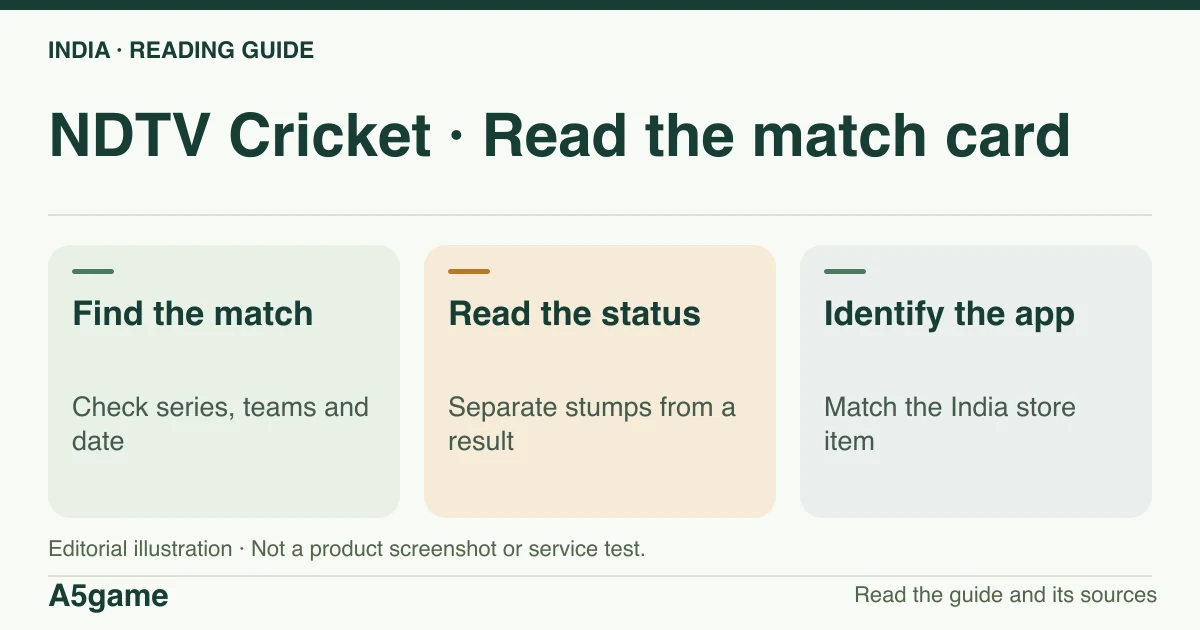
Open Cricket Scores and select Full Scorecard for the right series, teams and date. In a Test, read the day and innings with the score; a stumps figure is not a result. On phones, look for NDTV Cricket on Google Play (com.robo.ndtv.cricket) or Apple India (item 418320331). The public match card is the quickest fallback if you only want the score.
Which NDTV Cricket app is listed in India?
Google Play lists com.robo.ndtv.cricket and Apple India lists item 418320331. The browser match card works for reading a public score.
Check publisher, country and OS before updating; no separate APK was authenticated.
Sources checked: . Identify the NDTV Cricket store listings and system requirements.
Brand identification
- Brand
- NDTV Cricket
- Entity reference
- NDTV Convergence Private Limited (Apple India listing)
- What this review explains
- Read the innings and stumps before interpreting the result
The NDTV match card documents the recorded score; it does not establish streaming, notification delivery or an app session.
Find today’s NDTV cricket live score
Open Cricket Scores, then read the match status before reading the numbers. The page separates Live Score, Upcoming Matches and Recent Cricket Scores. Choose Full Scorecard only after the title, series, teams and venue match your fixture. On 28 November, the New Zealand–India Test card in the live group read Day 2 | Stumps. The live group follows the match in progress across days, even when no ball is being bowled.
An India match may sit in Upcoming before the toss. If it is missing from the live group, check Fixtures and the series name rather than treating an empty live area as a cancellation. The page we reviewed offered English and Hindi links beside individual matches. If a shared link shows another language or a different team, open the correct fixture first and switch its language there.
If a widget and the full card disagree, compare the innings, match day and last delivery, then refresh the same card. Keep the venue and both team names when sending it to someone else; identifying it as “today’s India match” alone can point to a second fixture. For a club match that the NDTV list does not cover, use the organiser’s fixture rather than choosing a professional match with a similar name.
Scorecard and ball-by-ball commentary: which one answers your question?
Read the innings selector and batting or bowling figures to check a total; use Commentary for what happened on a particular delivery. The Christchurch Test record showed New Zealand’s 356 and India’s 116/6 at the close of Day 2 as separate innings. The figures did not mean India had been bowled out or that New Zealand had won. For a specific mid-innings wicket, use Fall of Wickets to locate the entry, then check the commentary around that over.
In the 46.0 line, the zero is the legal-ball counter after 46 completed overs. If a card reads 15.3, that is 15 complete overs and three legal balls, not 15.3 decimal overs. A sequence with a wide can have more commentary entries than legal balls. Compare batsman, wicket number and innings before deciding that two reports disagree.
If the scorecard, commentary and a live blog have different update times, record the last over and status from the same innings. A headline or even a detailed post is a snapshot; for a final result use the match status and result line.
Fixtures, series schedules and the India start time
In Fixtures, select the competition and read the start time and ground from the individual match. The 28 November score listing stored Sydney’s Australia–England T20I at 13:45 with a +05:30 offset, so that number was already on India time; converting it again from Sydney time would move the start incorrectly. The page header also displayed IST. On a shared image without the zone, use a source that shows it before you convert.
The date for the start of a Test does not act as the start time for each day. Compare the match detail and the latest day’s reporting if you are following the next session. Check a fixture again when the venue, date or start is changed; a previously saved calendar image may still show the old plan.
For a season question, use the named series rather than a team’s latest result. This keeps a tour match, an international and a domestic game apart even when several Indian squads appear on the same date.
Results: final margin, stumps and an incomplete match
For yesterday’s winner, use Results or Recent Cricket Scores and read the result sentence. In the 28 November sample, the Women Under-19 card gives India’s 106-run win over England with both innings. By contrast, the Test’s “India trail by 240 runs” at stumps describes the state of that innings. A trail, a lead or a revised target tells you what remains in play; it is not a final margin.
Find the fixture again if a report says rain delayed play or that the match was abandoned. A blank chase score can mean play did not begin, while a completed result can state a reduced target or another result condition. Use the card’s actual result wording and verify the named competition before applying a league rule.
If you share the result, include the match number and date along with the margin. That makes it possible to distinguish one youth T20I from another and to check whether a report quoted a partial score.
IPL, women’s cricket and domestic fixtures on NDTV
Cricket Series is a selector for the tournament or tour. In the checked listings it included a New Zealand–India series and WPL; the scores hub separately showed a Syed Mushtaq Ali Trophy fixture. Open the named series, then choose its season or match before borrowing a date, points figure or result from a headline on the general cricket page.
A tour has a schedule and results; an IPL or domestic league table can also depend on the stage and points rules. When a team’s table position is the question, verify the edition and group before using any displayed ranking. A match card confirms a score, but not the rules for advancing to the next round.
Keep senior women’s cricket, WPL franchise games and youth internationals separate. “India Women Under-19” in the sample includes the age group in the match title; it cannot be used to settle a senior international result. For IPL/WPL qualification, use the relevant season’s official competition record.
Read NDTV cricket scores in Hindi
Try the Hindi link next to Full Scorecard for the fixture, or choose Hindi in the app described on NDTV’s Apps page. The listing advertises English and Hindi for the cricket app, while the scores sample actually shows a separate Hindi link beside the match. Keep the fixture identity in view when you switch language; an article page and the match card are different items.
Compare teams, venue, match day and overs if the English and Hindi pages show apparently different figures. If one is a news article with a publication time rather than the match card, use the scorecard first. The observation does not establish that every story or video has been translated or that both displays update simultaneously.
Live video, short clips and the live blog
Use NDTV’s Videos section for published clips and the match card for ball-by-ball text. The checked Test card linked live-blog entries for successive days, including a stumps update. A live blog can follow a game ball by ball without playing the game. A short post-match clip also does not establish the presence of a full replay.
If your aim is to watch rather than read, look for a broadcaster’s listing for that match and rights for India. A button or listing that offers general NDTV Live TV is not proof it carries the specific match. If no attributable match stream is listed, stick with the scorecard and check the competition’s broadcaster notice separately; we did not test a video feed.
Identify the NDTV Cricket download for Android and iPhone
NDTV’s Apps page lists Cricket separately from the NDTV News app. Google Play India shows NDTV Cricket - Live Scores under NDTV Apps with package com.robo.ndtv.cricket and a 10 February 2026 update date. Apple India lists NDTV Cricket from NDTV Convergence Private Limited, item 418320331, with bundle identifier com.ndtv.ndtvcricket. On 28 November the Apple catalogue showed version 26.04 and iOS 17.0 or later.
Check the exact store item and available version on your own device. The iPhone version number does not identify an Android build. We did not verify a separate NDTV Cricket APK or a native Windows, Mac or TV edition of the cricket app; NDTV’s list of television apps is a different claim. Use the browser scores page for a computer, an older phone or a quick public check.
If the store item is unavailable or compatibility is unclear, keep the canonical listing and the system version handy. Do not identify a file by “NDTV” alone: the same publisher offers products with different listings and functions.
Match alerts: select a team and check the notification settings
The Google Play description points to More → Notifications and describes selecting favourite teams and alert types. The web scores page also shows a notify control next to fixtures; that shows the action is offered, rather than confirming that an alert reaches any device. If you want alerts for one match, match the fixture first and record what you selected.
When scores appear inside the app but no alerts arrive, distinguish blocked phone permissions from the kinds of alerts or favourite teams selected inside the app. Confirm the exact match, notification type and approximate time, then compare the last update on the public card. An alert for an old fixture does not tell you that scores are missing today.
A visible Login control on the Sports website does not prevent reading the public scorecard we checked. We did not test sign-in, notification delivery, account syncing or reset. If you only need one match, keep the browser card rather than making push alerts a prerequisite.
Latest version, missing updates and a stale score
Start with the same app identifier and store country. A store can list a newer build that your operating system does not support. Compare the system requirement with the installed OS. The Android listing supplies an update date in this sample; do not turn the dated Apple release number into a universal latest version.
If the app opens but shows yesterday’s card, check team, date, series and the latest delivery against the browser. If the same match is out of date in both places, save the fixture link and last point shown; reinstalling does not repair a delay in the source data. If the app will not start, record the OS, app version and error before deciding whether to update.
For missing alerts use the notification settings and fixture branch first. Describe a score discrepancy with the fixture and innings, and an installation problem with the store item and device. Those reports require different information; this review establishes the listing and observed web records, without testing an install or update.
Frequently asked questions
Can I read the NDTV cricket live score without the app?
Yes. The public Cricket Scores page links to each fixture’s Full Scorecard. Check the fixture and status; an open Test score at stumps does not mean play is happening.
Is version 26.04 also the latest NDTV Cricket Android version?
No Android version number was established from this sample. 26.04 was the version shown for item 418320331 in Apple India on 28 November. Compare the correct Android package with Google Play on your device.
Does a live blog mean I can watch the game?
A blog records updates in text. To watch, verify the particular match, broadcaster and India rights; an NDTV news clip or scoreboard does not supply that evidence.
FOLLOW THE EVIDENCE
Sources and context
- NDTV Sports — live, upcoming and recent cricket matchesReference check: 2026-11-28
- NDTV Sports — Christchurch Test card, innings, wickets and commentaryReference check: 2026-11-28
- NDTV Sports — cricket fixtures and schedulesReference check: 2026-11-28
- NDTV Sports — cricket results by matchReference check: 2026-11-28
- NDTV Sports — New Zealand vs India series indexReference check: 2026-11-28
- NDTV Sports — India Women U19 vs England Women U19 match cardReference check: 2026-11-28
- NDTV Sports — published cricket videosReference check: 2026-11-28
- NDTV — publisher directory: News and Cricket apps, English and HindiReference check: 2026-11-28
- Google Play India — NDTV Cricket com.robo.ndtv.cricket, match alertsReference check: 2026-11-28
- Apple India catalogue — NDTV Cricket item 418320331, seller and compatibilityReference check: 2026-11-28
The date records a reference check. It is not a live service monitor.
A5game is an independent information website. We are not the brands’ official website, do not accept bets and never ask for third-party passwords or access codes. Editorial policy ↗